
Translations and interface localization (Languages)
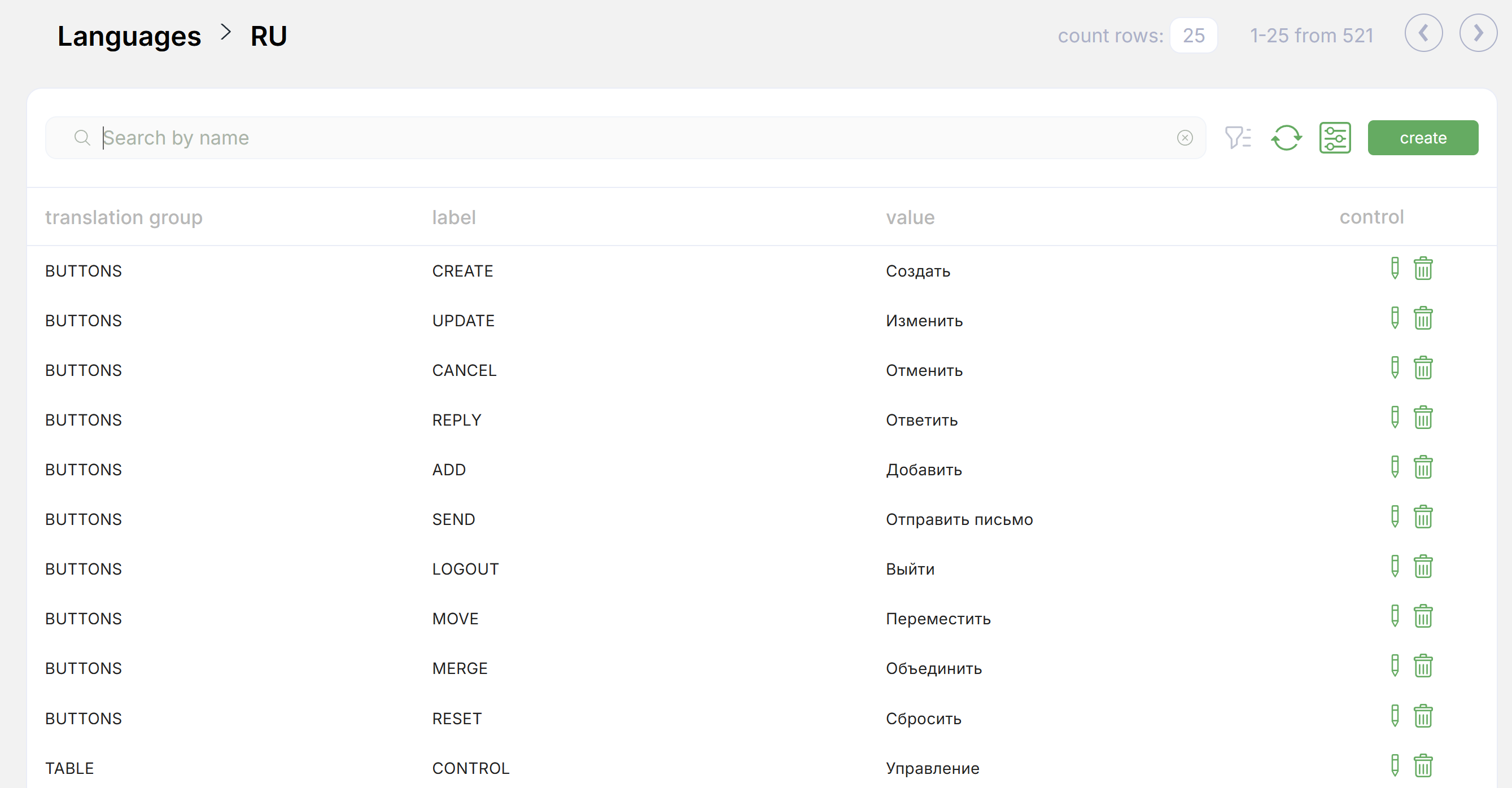
Description
Localization adapts the Cabinee user interface to the selected language. The system supports three languages:
- Russian (
ru) - Kazakh (
kz) - English (
en)
All main interface elements are localized: menus, buttons, tables, notifications, and more.
The language setting is stored in the user settings (preferences) and remains in effect until the user changes it.
Language management
An administrator can manage the list of available languages and edit translation values for various interface labels. Translations are grouped by semantic groups (for example, SYSMENU, OAUTH2) and identified by labels (ADMIN, ACTIVE, and similar). Each value is displayed in all supported languages. Adding and editing is done through the system administration section.
Adding a new phrase
The function for adding new translations is available in the Languages section of the admin navigation menu. Required fields:
Translation group— semantic group, for exampleSYSMENULabel— label, for exampleADMINValue— value, for exampleAdministration
Default behavior
Default language: English (en).
If a translation is missing for the selected language, the English value is displayed.
Changing the language
After signing in, the user can select a convenient interface language in their profile.